
Forex trading indicators: an ultimate tool to spot the trend and set up the trade
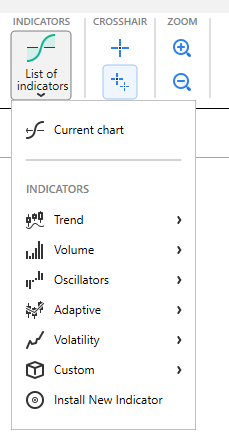
You can add an indicator or oscillator to the chart by clicking the “List of indicators” button  on the Home tab.
In Forex Tester, we got all indicators divided into 6 groups according to their functions.
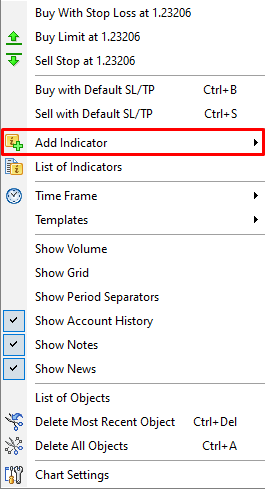
In addition, you can right-click on the chart and select “Add Indicator”.
Note: you can download more indicators from our repository via the List of Indicators → Recommended Indicators menu.
You will see the following dialog window where you can modify the indicator’s properties before it is placed on the chart.
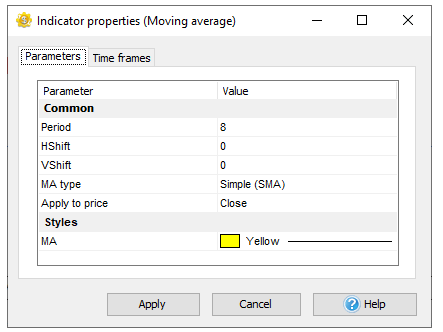
To modify the indicator’s parameters, double-click on it or use the combination: left mouse click + Enter key.
Some of the properties may have a dialog window or dropdown list where you can select available values.
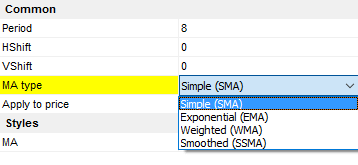
To apply changes, either press the Enter or Tab key or left-click on the dialog. If you need to cancel the changes you’ve made, press the Esc key.
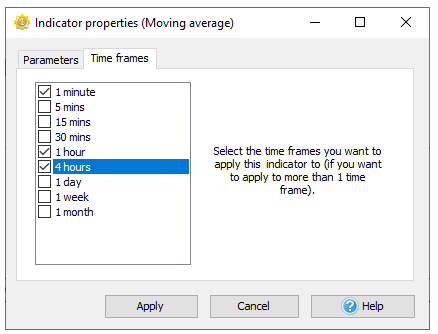
Each indicator is linked to one timeframe of the chart window. So, if you place it on the H1 timeframe, you will not see it on other timeframes (15 min, 1 min, etc.). It is done for optimization purposes. Otherwise, it’ll slow down the testing process significantly.
We recommend you to place indicators only on those timeframes where you need them. Activate the necessary timeframes on the Timeframes tab:
To edit the indicator on the chart, right-click on the indicator’s line and select the “Edit …” option. Use the “Delete …“ option to delete it.

You can combine more than one indicator in the oscillator window. Right-click in the oscillator window and select “Add indicator to Window”.
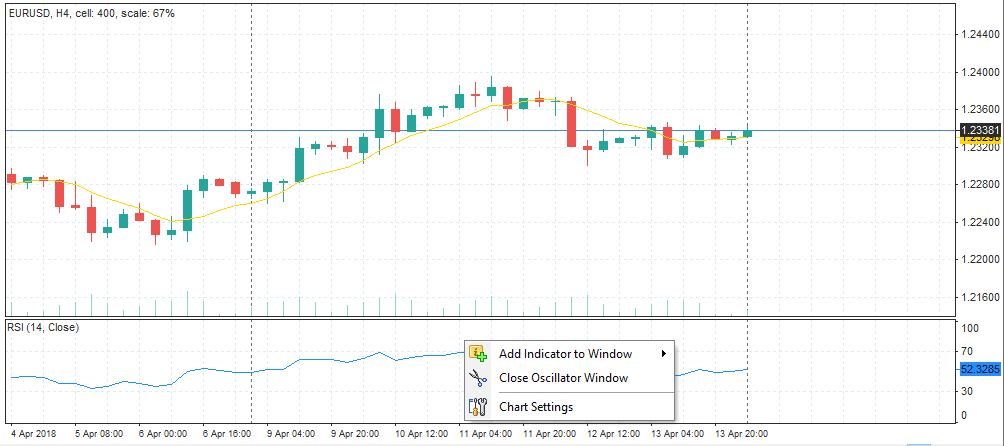
If you close the oscillator’s window, all other indicators in this window will be deleted.
You can view and manage all indicators on all charts and timeframes with the help of the List of indicators → Current chart button.
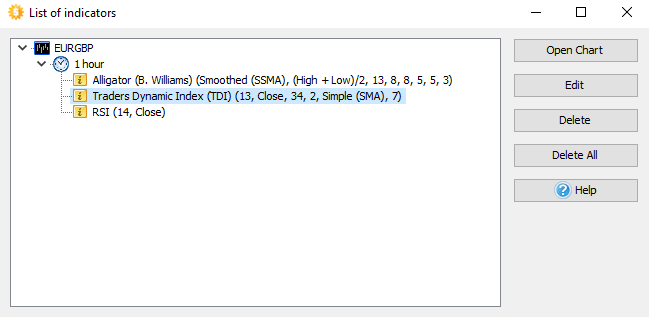
You can edit indicator properties, delete indicators, or delete all indicators on all charts at once.
Custom indicators in *.dll / *.mq4 format can be installed using the List of indicators → Install New Indicator button.
After importing, you can find your indicators in the List of indicators → Custom submenu.






 INTROMOB10